UA-208572229-1 G-XLJDE19NX2Santus Andor

Google Meet vs Zoom in 2023

google meet vs zoom

Are you having a hard time deciding which one to choose between google meet vs zoom for your conferences and remote meetings?.

Then look no further as this article is created to give you all details to help you make the right choice between google meet vs zoom conference applications taking into consideration some important factors.

With the recent increase in the need for remote meetings and work from home concept, video calling products owners continue to scheme to provide the best and gain more market share. read more
How to Backup Outlook Emails in simple steps with photos

how to backup outlook emails

This article will help to guide you on how to backup outlook emails for safekeeping.

Microsoft outlook is one email solution that helps to make email operations very easy.

With outlook you can have all your emails downloaded into your computer to access them even when you are offline.

Depending on the choice made during configuration of outlook the initial time for you, there is an option that allows email copies to the kept in your mail server for future retrieval. read more

How to Install Python on Windows 10 in Few Easy Steps (With Photos)

how to install python on windows 10

Hello, in this post I am going to show you how to install python on windows 10 in simple steps with no step skipped.

So Python programming language according python.org “is an interpreted, object-oriented, high-level programming language with dynamic semantics. Its high-level built in data structures, combined with dynamic typing and dynamic binding; make it very attractive for Rapid Application Development, as well as for use as a scripting or glue language to connect existing components together.” read more

How to Change Password in Windows 10 in Few Simple Steps

how to change password in windows 10

In case you have being wondering how to change password in windows 10, this article is to walk you through in few steps.

We are going to look at two different simple methods to change password on windows 10.

How to Change password in windows 10 using Method 1.

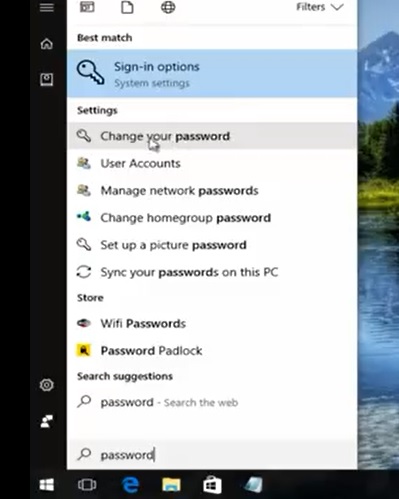
* At the Search field of the Start Menu, type PASSWORD

Click Change Password on the fly-out menu underneath Settings

Then another page comes up, scroll down a bit and click on Change under Change Your Account Password read more